WP-Cron only runs when someone visits your site, so a quiet site goes hours without it and nothing is broken. A backup that silently stopped a week ago is a different story. Cron Monitor tells the two apart for free. Pro finds the cause, names the plugin behind every task, and watches Action Scheduler, the queue WooCommerce runs on.
Free, with no limits and no time limit · No credit card
WP-Cron is not a real system cron. It fires on page views, so a low-traffic site naturally goes quiet for stretches that mean nothing. Most monitors flag that exactly like a task that has been broken for a week. Cron Monitor watches two signals, a heartbeat and a grace window for every task, and tells the two apart.
The site had visitors, which normally start cron, and it still has not run. Something is actually stuck.
A little behind. Often just how a quiet site behaves. Worth an eye, not a panic.
Cron ran recently and tasks are firing on time. Nothing needs your attention.
Just installed. Give it one cycle before trusting the verdict.
Running a real server cron with DISABLE_WP_CRON? It is recognised as the healthy setup it is, not reported as broken.
Free tells you whether scheduled work is happening. Pro tells you why it is not, which plugin is responsible, and what it is costing you.
Pro runs the checks a developer would run by hand: can the site reach its own wp-cron.php, is a staging password or a security plugin blocking it, is the run lock stuck, did a deleted plugin leave events behind. Every finding comes with the next step.
WooCommerce, subscriptions and many other plugins run their work through Action Scheduler. When an action fails there, it is dropped without a word. Pro shows every failure with the plugin and the exact error, and warns you when the queue falls behind.
Every task is named with the plugin or theme whose code runs it, even closures and inherited methods. No more switching plugins off one at a time to find the culprit.
Duration and peak memory for every run, ranked by total time over 30 days, with a trend that shows the task getting slower long before it times out.
Run any overdue task immediately with its original arguments. The schedule is renewed first, exactly as WordPress does it, so the task can never run twice.
Email, Slack, Discord or any webhook. Everything that fell behind arrives as one message, and the same stuck task does not alert you again for six hours.
Screenshots from the real plugin, with 30 days of real data.
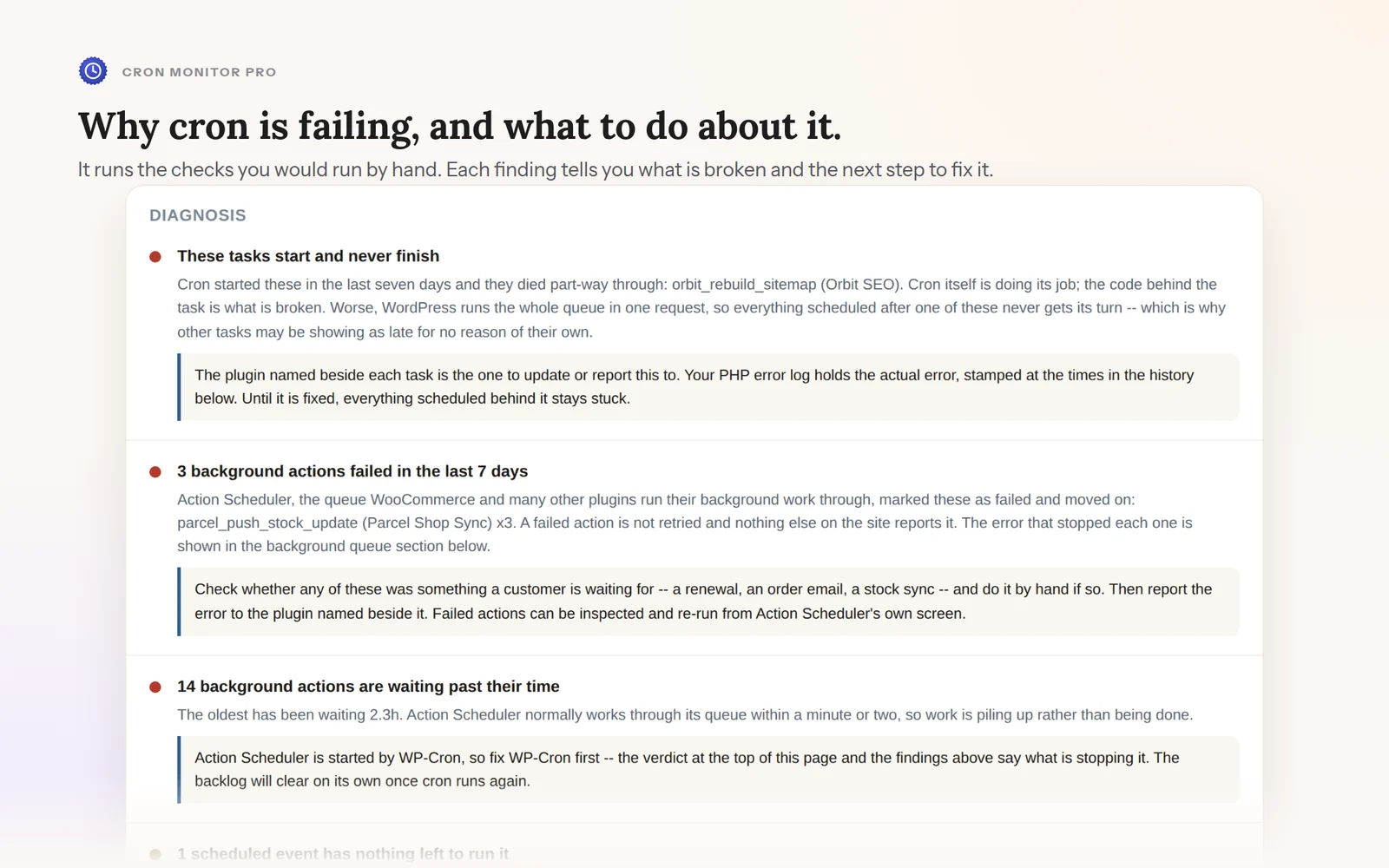
The diagnosis: what is broken, and exactly what to do about it.
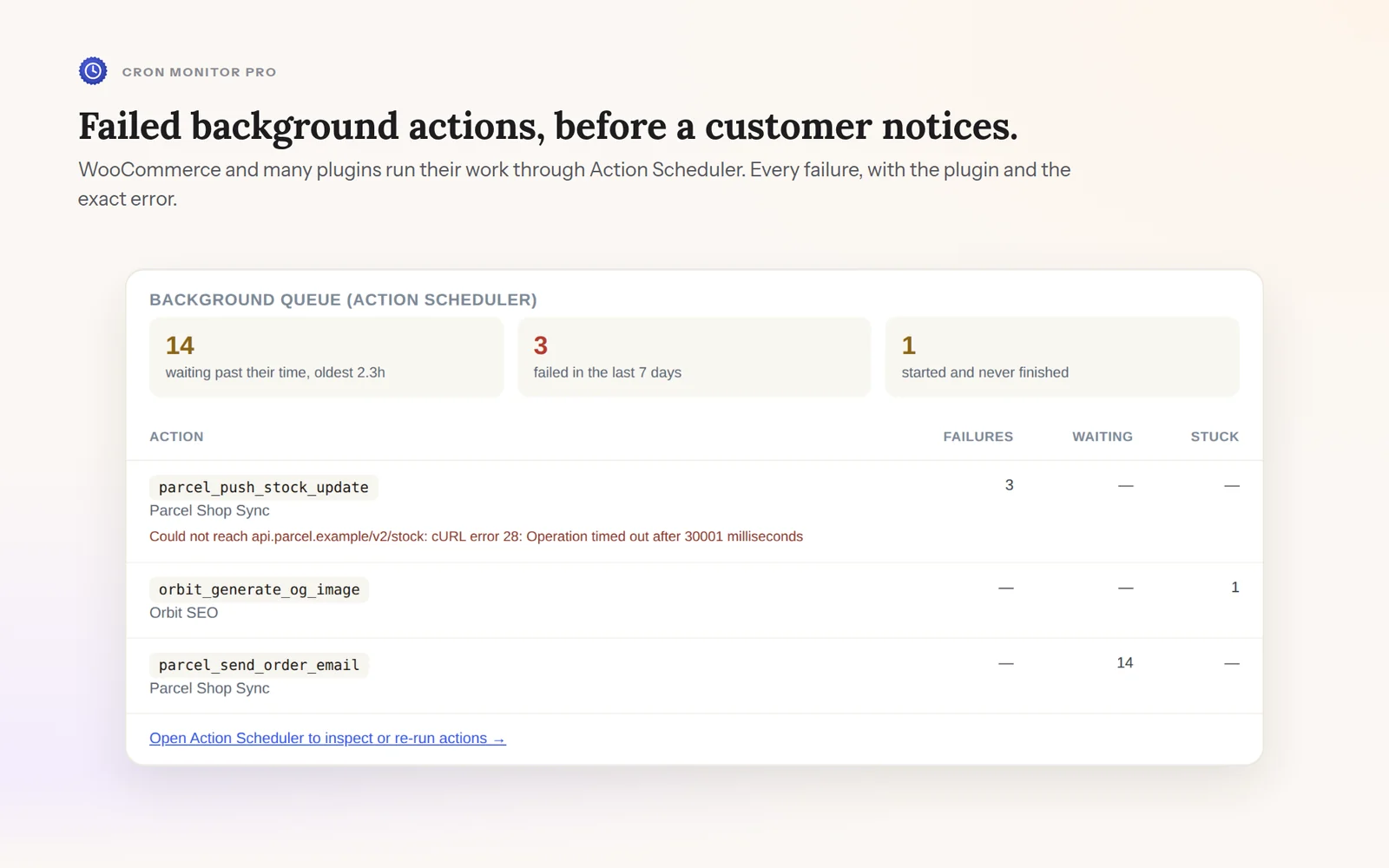
Background actions that failed, each with its plugin and the exact error.
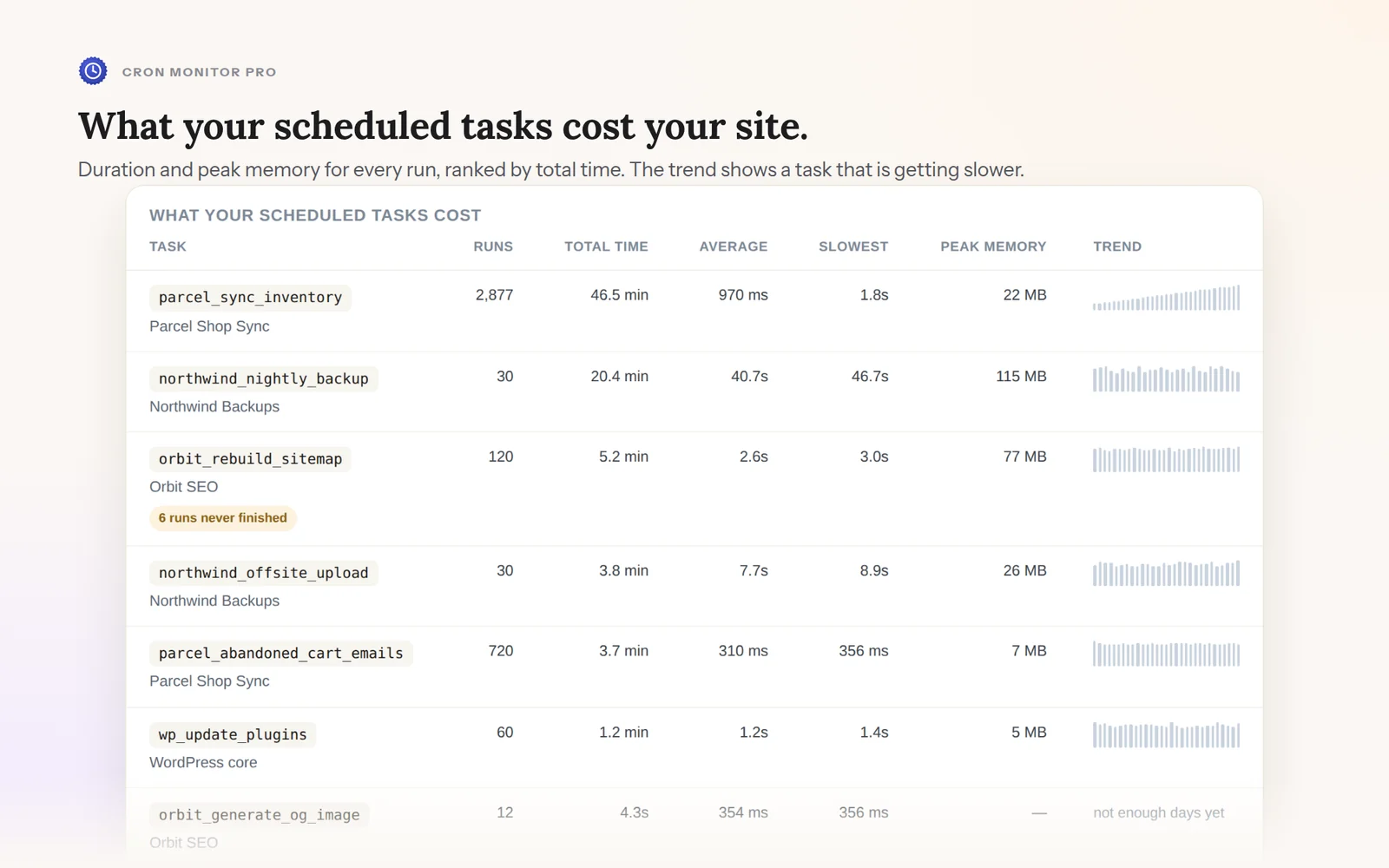
What each scheduled task costs your site, and which one is getting slower.
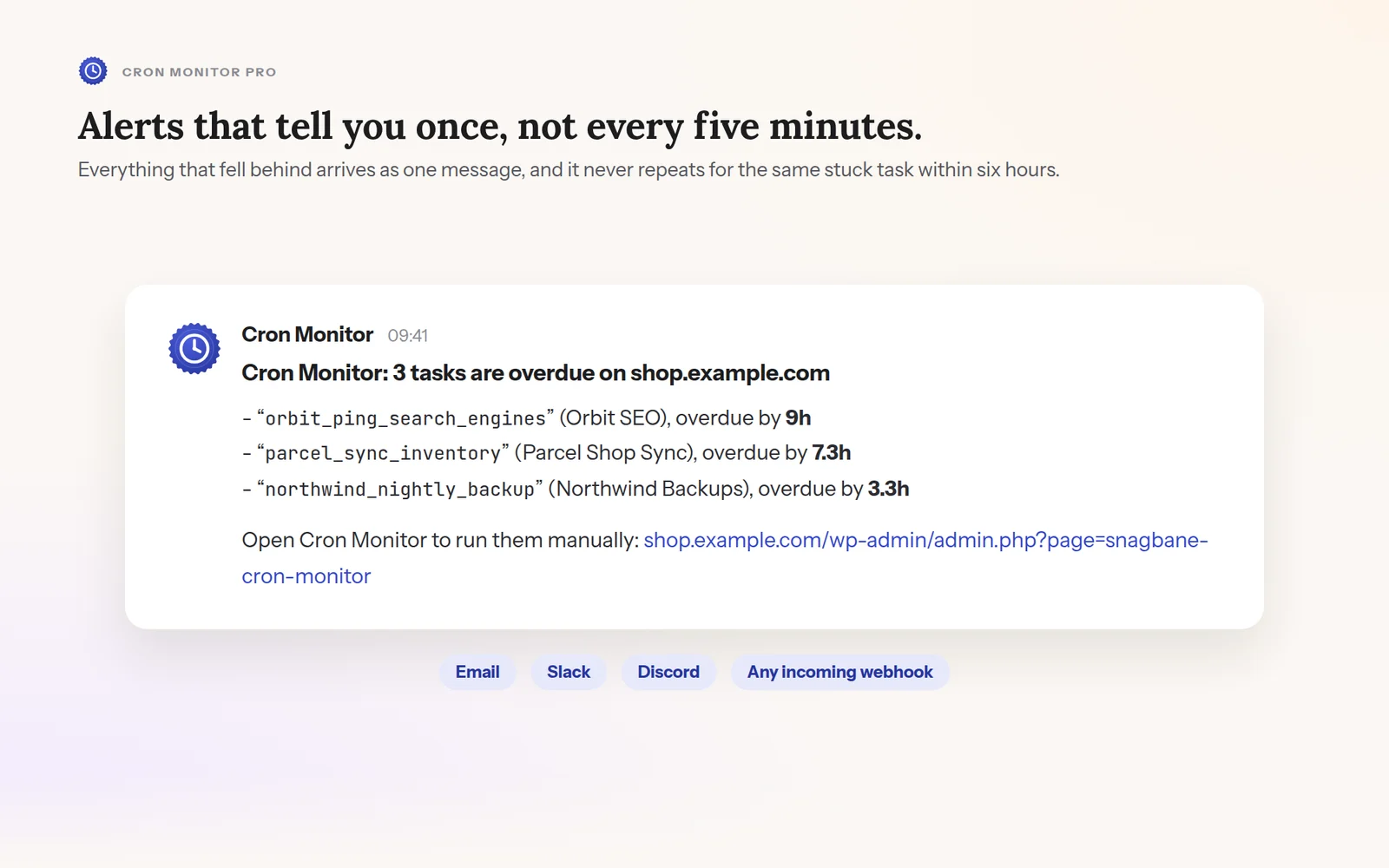
One alert for everything that fell behind, by email or webhook.
A heartbeat for whether WP-Cron runs at all, and a grace window for every task before anything is called late.
Pro traces each task to the plugin that registered it and reads Action Scheduler's own records, so a finding names a cause instead of guessing.
A page view reads one option. Everything else runs inside the cron request, which is already a background request.
Knowing whether something is wrong is free, forever and without limits. Pro adds why, whose fault, and what it costs.
7-day money-back guarantee.
Monthly or yearly billing is chosen at checkout.
WP-Cron looks like a real cron job, but it is not one. It only fires on a visit, so a quiet site runs late without anything being broken. Every monitor we tried treated a quiet site and a broken task the same way, which meant either constant false alarms or a real failure sitting silent for weeks.
Cron Monitor is our attempt to fix that one problem properly: tell you what is actually wrong, and who is responsible, instead of a blanket "something might be broken".
It is part of the Snagbane family, alongside Link Scanner.
No FTP and no command line. Everyone starts with the free plugin, even with Pro: Pro is a small add-on that sits on top of it, not a replacement.
In your WordPress admin, go to Plugins → Add New Plugin and search for “Snagbane Cron Monitor”.
Click Install Now, then Activate. There is nothing to configure.
A new Cron Monitor item appears in your admin sidebar, with a dashboard widget showing the current verdict.
After checkout, Freemius emails you the Pro .zip and a license key. Upload it under Plugins → Add New Plugin → Upload Plugin, activate it, and paste the key when asked.
Requires WordPress 5.8+ and PHP 7.4+.
Lost the email with your key? Recover it any time from the Freemius customer portal.
Free to install, free forever for the full verdict and history, no credit card.
Free on the official WordPress.org plugin directory. Updates arrive through your WordPress dashboard.
 Cron Monitor